
GMB Management: Tips to Improve Your Local Ranking on…
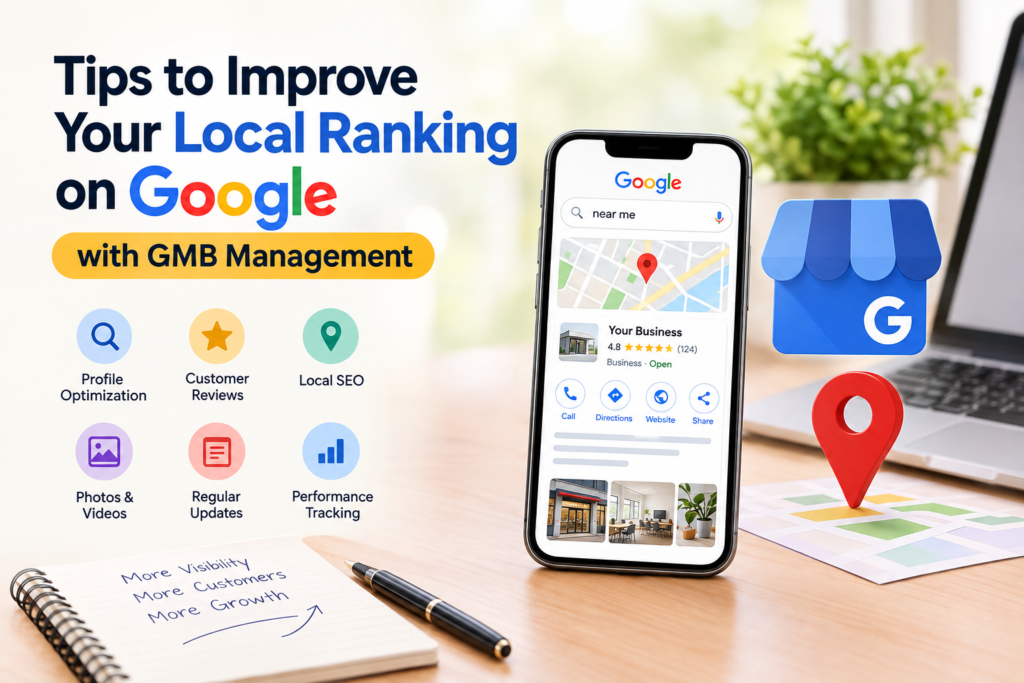 Improve your local Google ranking with effective GMB management—optimize your business profile, build customer trust, and attract more local customers.
Tips to Improve Your Local Ranking on Google
When customers search for a business near them, Google often displays local business listings before traditional search results. Whether someone searches for “SEO company near me,” “best painting contractor in Chennai,” “women’s gym near me,” or “digital marketing agency in Chennai,” appearing prominently in local search results can help businesses attract more calls, website visits, direction requests, and customers.
However, improving local visibility on Google requires more than simply creating a Google Business Profile and adding a few business details. Businesses need a consistent local SEO strategy that includes profile optimization, customer reviews, accurate information, relevant content, and regular GMB management.
GMB, commonly known as Google My Business, is now called Google Business Profile (GBP). The platform allows businesses to manage how their information appears across Google Search and Google Maps.
In this guide, we will explore practical tips to improve your local ranking on Google and explain how effective GMB management can support long-term local business growth.
1. Optimize Your Google Business Profile Completely
One of the first steps toward improving your local ranking is to ensure that your Google Business Profile is complete and accurate.
A partially completed profile may provide limited information to potential customers. A fully optimized profile makes it easier for people to understand your business, the services you provide, your location, and how to contact you.
Make sure your profile includes:
- Correct business name
- Relevant primary business category
- Appropriate secondary categories
- Accurate business address or service area
- Updated phone number
- Website URL
- Business hours
- Business description
- Services and products
- High-quality business images
- Relevant attributes
Your business information should be consistent and accurate across your website, Google Business Profile, social media pages, and other business directories.
How GMB management helps: Regular profile audits can identify missing information, outdated business hours, incorrect service details, and other issues that may affect customer trust and local visibility.
Avoid adding unnecessary keywords to your business name. Your Google Business Profile name should reflect your actual business name rather than a list of target keywords.
To learn more about creating and managing your business profile, visit the official Google Business Profile website.
2. Select the Right Primary and Secondary Categories
Google uses business categories to understand what a company offers. Selecting the right category helps Google connect your business with relevant local searches.
For example:
- A painting contractor may select a painting-related business category.
- A gym may choose a fitness-related category.
- A digital marketing agency may select a marketing agency category.
- A restaurant may choose a category that reflects its cuisine or service type.
Your primary category should represent the main service or purpose of your business. Secondary categories can be used when they accurately describe additional services.
Best practices for category selection
- Choose a category that closely matches your main service.
- Add secondary categories only when they are relevant.
- Review your competitors’ categories for research, not for copying.
- Avoid selecting unrelated categories to target more keywords.
- Revisit your categories when your business services change.
The right category can improve relevance for searches related to your products or services. However, category selection alone cannot guarantee higher rankings.
3. Use Relevant Keywords in Your Business Description
Your Google Business Profile description provides an opportunity to explain your business to potential customers. It can also help communicate the services and locations your business serves.
A useful description should be written for customers first, with relevant keywords included naturally.
For example, a digital marketing agency serving Chennai might use phrases such as:
- Digital marketing services in Chennai
- SEO services
- Social media marketing
- Google Business Profile optimization
- Content marketing
Avoid excessive keyword repetition or writing descriptions that sound unnatural.
Example
Instead of writing:
Best SEO company Chennai SEO services Chennai SEO agency Chennai best SEO experts Chennai.
Write:
We provide SEO and digital marketing services for businesses in Chennai, helping them improve online visibility, attract relevant traffic, and generate quality leads through search engine optimization, content marketing, and social media strategies.
The second version is easier to read and communicates the business offering more clearly.
GMB management tip: Review your business description periodically to ensure that it accurately represents your current services and target audience.
4. Keep Your Business Information Consistent
Consistency is an important part of local SEO. Google and customers should be able to find the same core business information across different online platforms.
This includes:
- Business name
- Address
- Phone number
- Website
- Opening hours
- Service areas
For example, if your Google Business Profile displays one phone number while your website contains another, customers may become confused. Incorrect or outdated information can also reduce trust.
Check your business information on:
- Google Business Profile
- Official website
- Social media profiles
- Local directories
- Industry-specific directories
- Business listing platforms
Businesses that change locations, phone numbers, or working hours should update their information promptly.
A regular GMB management process can include checking profile information and maintaining consistency across major online listings.
5. Encourage Genuine Customer Reviews
Customer reviews play an important role in local business visibility and customer decision-making. Many people check reviews before contacting a business, visiting a store, or booking a service.
Businesses should encourage satisfied customers to share honest feedback about their experience.
Ways to generate more reviews
- Ask customers after completing a service.
- Share your official review link through email or messaging.
- Add a review request to your follow-up process.
- Make the review process easy to understand.
- Train staff to request feedback professionally.
- Thank customers for sharing their experiences.
Do not purchase fake reviews, create misleading reviews, or offer prohibited incentives in exchange for positive feedback. Reviews should reflect genuine customer experiences.
Respond to both positive and negative reviews
Responding to reviews demonstrates that your business values customer feedback.
For positive reviews, thank the customer and acknowledge their experience.
For negative reviews:
- Respond politely.
-
Improve your local Google ranking with effective GMB management—optimize your business profile, build customer trust, and attract more local customers.Avoid arguing publicly.
- Acknowledge the concern.
- Offer to discuss the issue privately.
- Take appropriate action to resolve the problem.
Review management is not just about increasing the number of reviews. It is also about maintaining credibility and building customer relationships.
6. Publish Regular Google Business Profile Updates
Google Business Profile allows eligible businesses to share updates, offers, announcements, events, and other relevant information.
Regular updates can help keep your profile informative and engaging for customers.
You can publish content such as:
- New service announcements
- Seasonal offers
- Business updates
- Customer-focused tips
- Product launches
- Event information
- Frequently asked questions
- Special working hours
- Recent project highlights
For example, a fitness center might publish a post about a new group class, while a painting contractor could share photos from a recently completed residential project.
Tips for creating effective profile posts
- Use clear and relevant images.
- Write concise, customer-friendly content.
- Include a suitable call to action.
- Avoid misleading claims.
- Use relevant keywords naturally.
- Keep information accurate and updated.
Google Business Profile posts should support your overall marketing strategy rather than replace your website content or other SEO activities.
7. Add High-Quality Photos and Videos
Visual content helps customers understand your business before they contact you. A profile with relevant, authentic images can provide more confidence than a profile with very little visual information.
Depending on your business type, you can add:
- Exterior and interior photos
- Team photographs
- Product images
- Service-related images
- Before-and-after project photos
- Equipment photographs
- Workplace images
- Short videos
For a restaurant, food and interior photographs may be useful. For a gym, images of the facilities, equipment, and training environment can help customers understand the experience. For a service business, project images can demonstrate the type of work performed.
Photo optimization tips
- Use clear and authentic images.
- Avoid uploading irrelevant photographs.
- Keep images well-lit and professional.
- Update photos regularly.
- Showcase your actual location, team, products, or services.
- Avoid excessive promotional text in images.
Images do not automatically guarantee better rankings, but they can improve the usefulness and credibility of your business profile.
8. Create Location-Specific Website Content
Your Google Business Profile and website should support each other. While your profile provides important business information, your website can offer detailed information about your services, locations, experience, and customer solutions.
If your business serves multiple locations, create useful location-specific content when there is a genuine reason to do so.
For example:
- SEO services in Chennai
- Painting services in Velachery
- Digital marketing services in Tambaram
- Women’s fitness center in Anna Nagar
Location pages should contain unique and helpful information. Avoid creating multiple pages that simply replace the city name while keeping the same content.
A useful location page may include:
- Services available in the area
- Relevant customer needs
- Local service coverage
- Business experience
- Frequently asked questions
- Customer testimonials
- Contact information
- Directions or service details
Use location keywords naturally in headings, page titles, descriptions, and body content. The content should provide genuine value to visitors instead of being created only for search engines.
9. Build Relevant Local Citations and Business Listings
Local citations are online mentions of your business information, often including the business name, address, and phone number.
Examples include:
- Local business directories
- Industry directories
- Chamber of commerce listings
- Regional business websites
- Professional associations
- Relevant local publications
When creating listings, prioritize quality and relevance over quantity.
Local citation best practices
- Use accurate business information.
- Select relevant directories.
- Avoid spammy listing websites.
- Maintain consistent contact details.
- Update listings when information changes.
- Do not create duplicate profiles unnecessarily.
Local citations can help reinforce business information and make it easier for customers to discover your company. Their value depends on the quality, relevance, and accuracy of the platforms where your business is listed.
10. Improve Your Website’s Local SEO
Your website experience can influence how customers interact with your business after discovering it through Google.
A well-optimized local business website should be:
- Mobile-friendly
- Fast-loading
- Easy to navigate
- Secure with HTTPS
- Clear about services and locations
- Simple to contact
- Structured with relevant information
Important local SEO elements include:
Title tags and meta descriptions
Create page titles and meta descriptions that accurately describe your service and location where appropriate.
Example title:
SEO Company in Chennai | Local SEO & Digital Marketing Services
Local business information
Display your business contact details clearly on your website. If you have a physical location, provide appropriate address and contact information.
Service pages
Create detailed service pages that explain what you offer, who you serve, and how customers can contact you.
Structured data
Where appropriate, businesses can use relevant structured data, such as LocalBusiness schema, to help search engines understand business information. Structured data does not guarantee rich results or higher rankings, and it should reflect information visible on the page.
11. Focus on Customer Experience and Local Relevance
Google local results are generally influenced by factors associated with relevance, distance, and prominence. Businesses cannot control every factor, particularly the user’s location at the time of a search.
For example, a business located closer to a customer may appear for a local search even if another business has a larger online presence.
However, businesses can improve their relevance and visibility by maintaining accurate information, offering clear services, building a trustworthy reputation, and developing useful local content.
Ask yourself:
- Does my profile clearly explain what my business offers?
- Is my location or service area accurate?
- Can customers easily contact me?
- Are my reviews genuine and recent?
- Does my website support my local search visibility?
- Are my business listings consistent?
These questions can help you identify areas for improvement.
Google considers factors such as relevance, distance, and prominence when determining local search results. Understanding these factors can help businesses develop a more effective local SEO strategy. Read Google’s official guide on how to improve your local ranking on Google .
12. Monitor Your Google Business Profile Performance
Local SEO requires regular monitoring. Without tracking performance, it can be difficult to understand whether your optimization efforts are generating useful results.
Depending on the information available in your profile and analytics tools, you can monitor:
- Customer calls
- Website clicks
- Direction requests
- Search visibility
- Profile interactions
- Review growth
- Customer enquiries
- Leads generated through local search
You can also use Google Search Console and website analytics tools to understand how visitors reach your website.
Remember that profile views and website traffic are not the same as qualified leads. A successful local SEO strategy should focus on attracting relevant customers and supporting business objectives, not just increasing impressions.
Create a monthly tracking process
A monthly GMB management report may include:
|Metric|
What to Monitor
Profile information
Accuracy of business details
Search performance
Search visibility and discovery
Customer actions
Calls, website visits, and directions
Reviews
|New reviews and response status
Photos
New uploads and engagement
Posts
Updates published and interactions
|Website
Local traffic and conversion activity
Leads
Relevant enquiries and bookings
Tracking these details can help identify opportunities and guide future optimization.
13. Avoid Common Google Business Profile Mistakes
Some businesses make avoidable mistakes that can affect their profile quality and customer trust.
Common mistakes include:
- Using an inaccurate business name
- Selecting irrelevant categories
- Adding incorrect business hours
- Creating duplicate profiles
- Using fake reviews
- Ignoring customer feedback
- Uploading poor-quality images
- Adding unnecessary keywords
- Creating misleading service areas
- Failing to update business information
Businesses should follow Google’s applicable Business Profile guidelines and ensure that profile information represents their real operations.
If your profile experiences an issue, investigate the cause carefully rather than making frequent random edits.
14. Consider Professional GMB Management Services
Managing a Google Business Profile requires consistent attention. Business owners may find it challenging to handle profile updates, review responses, local SEO, photos, posts, and performance tracking while managing daily operations.
Professional GMB management services can support businesses with activities such as:
- Google Business Profile setup
- Profile optimization
- Category research
- Business information updates
- Service and product updates
- Google post creation
- Review monitoring
- Local citation management
- Local SEO support
- Performance reporting
A professional service provider should use accurate business information and follow Google’s policies. Avoid agencies that promise guaranteed first-place rankings or claim that they can control Google’s local search results.
The right approach is to focus on sustainable optimization, relevant content, customer experience, and consistent monitoring.
Conclusion: Improve Your Local Ranking with Consistent GMB Management
Improving your local ranking on Google is an ongoing process rather than a one-time activity. Businesses need to maintain accurate profile information, select relevant categories, encourage genuine customer reviews, publish useful updates, add authentic images, and optimize their websites for local search.
Effective GMB management brings these activities together into a consistent strategy. By monitoring your profile regularly and making improvements based on customer needs and performance data, you can strengthen your local online presence and create more opportunities for customer enquiries.
Whether you operate a local service business, retail store, fitness center, restaurant, or professional agency, your Google Business Profile can serve as an important part of your digital marketing strategy.
Want to improve your local visibility on Google? Invest in consistent GMB management, local SEO, and customer-focused content to build a stronger online presence and help potential customers discover your business.
Frequently Asked Questions
1. What is GMB management?
GMB management refers to the process of optimizing and maintaining a Google Business Profile. It may include updating business information, managing reviews, publishing posts, adding photos, monitoring performance, and supporting local SEO.
2. How long does it take to improve local Google rankings?
The time required varies depending on competition, location, business category, profile quality, website performance, reviews, and other factors. Local SEO improvements are not guaranteed to produce results within a fixed period.
3. Is Google Business Profile free?
Google Business Profile is generally available at no charge for eligible businesses. However, businesses may choose to pay professionals or agencies for profile optimization, ongoing management, content creation, and local SEO services.
4. Can reviews improve local SEO?
Genuine customer reviews can support customer trust and are among the factors associated with local business visibility. Businesses should focus on earning honest reviews and responding professionally rather than using fake or manipulated reviews.
5. Can GMB management guarantee the number-one position?
No legitimate GMB management provider can guarantee a permanent number-one position on Google. Local rankings can change based on relevance, distance, prominence, competition, and other factors. A professional provider should focus on ethical optimization and measurable business outcomes.